On this page
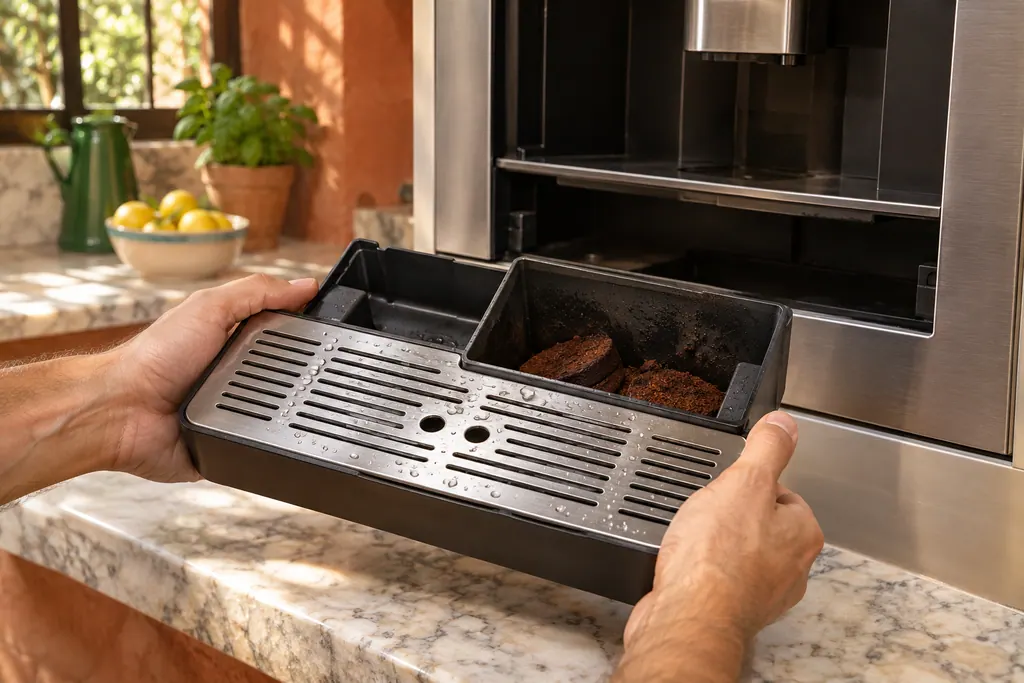
- Each time the drip tray is removed, empty the grounds container. 1
- Ground too fine: one click clockwise toward 7 while the mill runs. 3
- The milk CLEAN messages concern the froth dial. 4
- Descaling needed can be postponed, and returns at each switch-on. 46
- General alarm lists eight entries; clean first. 5
Which messages on my Bertazzoni coffee machine are not errors?#
Almost all of them. Of the fifteen messages on the CM242WTXT display, fourteen ask for a refill, a part put back, a cleaning step or a setting change. Only one wording, the General alarm, can end in a service call, and then only after cleaning has not cleared it. 12345
That is good news for a machine you use every morning. The display speaks in complete sentences, and each sentence names its own remedy: fill, empty, insert, turn, press OK. This guide groups the messages by what you do, so you can find the one in front of you quickly. It covers the built-in coffee machine manual with the model code CM242WTXT. 1
| Message group | Messages | What it asks |
|---|---|---|
| Water and grounds | Fill water tank; Empty grounds container; Insert ground container; Fill bean container | A refill, an emptying or a part put back 12 |
| Pre-ground coffee | Add pre-ground coffee, maximum one measuring cup; Select a milder taste or reduce pre-ground coffee quantity | Coffee in the funnel, or less of it 12 |
| Flow | Ground too fine; Water circuit empty | A grinder click or a refill of the circuit 23 |
| Parts | Insert water outlet; Insert milk container; Insert brewing unit | Push a part in as far as it goes 3 |
| Milk | Three CLEAN messages | Turn the froth dial 4 |
| Maintenance | Descaling needed; Replace water filter | A scheduled job you can postpone 4 |
| General alarm | Eight entries | Read the reason shown in the manual 5 |
What do the refill and part messages want?#
Fill the water tank until it clicks into place, empty the grounds container each time the drip tray is removed, refit the grounds container after cleaning, and add beans when they run out. The brewing unit, water spout and milk container each have an Insert message that means push it in fully. 123
Two details are easy to miss. According to the manual, taking out the drip tray always means emptying the grounds container too, even when it holds only a few grounds. If you do not, the container may fill faster than expected and clog the machine. 1 And the tank should be pushed in until it stops and clicks; a half-seated tank is also the first thing to check when coffee barely flows. 13
- 1
- 2
- 3
- 4

What if coffee barely flows?#
For Ground too fine, repeat the coffee and, while the mill is running, turn the grinding dial one click clockwise toward 7. Repeat after two coffees if it is still slow, then make sure the water tank is fully inserted. An air bubble from a softener filter can cause the same thing. 3
The manual gives a separate remedy for that air bubble. If the water softener filter is fitted, fit the hot water/steam spout into the machine and deliver a little water until the flow is regular. 3 If Water circuit empty appears, press OK and let water run out of the spout; the flow stops by itself. If it comes back, check again that the tank is fully inserted. 3
How do I deal with the pre-ground coffee messages?#
If the display says to add pre-ground coffee, put coffee in the funnel and repeat the order; if the funnel is clogged, empty it with the brush. For a long coffee with pre-ground, add coffee and press to continue. If it says to select a milder taste, use less coffee, at most one measure. 12
The maximum quantity is one measuring cup of pre-ground coffee, and that limit is why the third message appears: too much coffee has been used. Pressing the Aroma control selects a milder taste. 2 The funnel can be cleaned with the brush described in the manual's section on cleaning the pre-ground coffee funnel. 1
What do the milk CLEAN messages mean?#
They concern the froth dial on the milk container. One appears after milk was delivered recently and asks you to turn the dial to CLEAN. Two appear when the container has been inserted with the dial still on CLEAN: one lets you press OK to start cleaning, the other asks you to turn the dial to a milk position. 4
In plain terms, the dial has a CLEAN position for rinsing the tubes inside the milk container, and the machine reminds you when it has been used for milk. Turn it to CLEAN to start cleaning, and turn it back to a froth position to make milk drinks. 4 Milk residue is something you want to clean promptly, but no time limit is stated, so we name none.
Can I postpone descaling and the filter message?#
Yes, both. When Descaling needed appears, you can start now or press the other key to descale later, and the message returns every time the machine is switched on. The filter message offers the same choice between replacing the filter and carrying on. 46
The manual treats the descaling reminder as a normal part of ownership: the machine reminds you after a period set by the water hardness setting, which is level 4 on a new machine. 7 The cycle itself, from the menu, runs for about 25 minutes before the rinse, then a fresh-water rinse, with the display message saying about 45 minutes in total. 64 The water filter lasts about two months in normal use, and a maximum of 3 weeks if the machine sits unused with the filter in. 8
The descaling steps need a container of at least 2.5 liters under the spouts, and the hot liquid contains acid, so splashes should be avoided. The manual asks you to use only a descaler the manufacturer approves, and that an unsuitable one or an incorrect cycle may cause damage the manufacturer's coverage excludes. 6
What is the General alarm message?#
It is a catch-all heading, and the manual lists eight different causes under it: a very dirty interior, descaling and filter reminders, milk tubes needing a clean, a filter due, auto-start on, energy saving on, or a filter just enabled. Each has its own remedy. 5
Apart from the first, they are reminders or settings. Clean the milk container tubes, descale, replace or remove the filter, or switch off auto-start or energy saving following the manual's own sections. 5 Only the dirty-interior entry mentions service, and only if the message is still there after thorough cleaning. 5
So when General alarm appears, do not assume the worst. Read the line in the manual that matches what the machine has been doing, and clean first.
When does a coffee machine message need service?#
Arrange a visit if General alarm remains after a thorough clean, when Water circuit empty returns even with the tank seated, when coffee still flows poorly after the grinder adjustment, or when a Fill or Insert message stays on with the part in place. 35
We are an independent repair service and have no tie to Bertazzoni. If the manufacturer's warranty still covers the coffee machine, begin there. For other repairs, the cost is discussed with you after diagnosis and before any work.
Learn what a coffee machine visit involves, and the infuser entry explains the part behind the Insert brewing unit message. Use the booking form to give the exact message and what you tried.
Sources#
- INSTALLATION MANUAL / USER AND MAINTENANCE MANUAL / BUILT-IN COFFEE MACHINEBertazzoni S.p.A. (official manual PDF, us.bertazzoni.com Specifications Library) · PDF created 02.12.2024, modified 16.01.2025 (no printed edition) · PDF p48: displayed messages (water tank, grounds container, ground container, pre-ground coffee)
- INSTALLATION MANUAL / USER AND MAINTENANCE MANUAL / BUILT-IN COFFEE MACHINEBertazzoni S.p.A. (official manual PDF, us.bertazzoni.com Specifications Library) · PDF created 02.12.2024, modified 16.01.2025 (no printed edition) · PDF p49: displayed messages (pre-ground coffee, bean container, ground too fine, milder taste)
- INSTALLATION MANUAL / USER AND MAINTENANCE MANUAL / BUILT-IN COFFEE MACHINEBertazzoni S.p.A. (official manual PDF, us.bertazzoni.com Specifications Library) · PDF created 02.12.2024, modified 16.01.2025 (no printed edition) · PDF p49-50: ground too fine; water outlet, milk container, brewing unit, water circuit empty
- INSTALLATION MANUAL / USER AND MAINTENANCE MANUAL / BUILT-IN COFFEE MACHINEBertazzoni S.p.A. (official manual PDF, us.bertazzoni.com Specifications Library) · PDF created 02.12.2024, modified 16.01.2025 (no printed edition) · PDF p51: displayed messages (CLEAN messages, descaling needed, replace water filter)
- INSTALLATION MANUAL / USER AND MAINTENANCE MANUAL / BUILT-IN COFFEE MACHINEBertazzoni S.p.A. (official manual PDF, us.bertazzoni.com Specifications Library) · PDF created 02.12.2024, modified 16.01.2025 (no printed edition) · PDF p52: displayed messages (General alarm)
- INSTALLATION MANUAL / USER AND MAINTENANCE MANUAL / BUILT-IN COFFEE MACHINEBertazzoni S.p.A. (official manual PDF, us.bertazzoni.com Specifications Library) · PDF created 02.12.2024, modified 16.01.2025 (no printed edition) · PDF p43-44: descaling
- INSTALLATION MANUAL / USER AND MAINTENANCE MANUAL / BUILT-IN COFFEE MACHINEBertazzoni S.p.A. (official manual PDF, us.bertazzoni.com Specifications Library) · PDF created 02.12.2024, modified 16.01.2025 (no printed edition) · PDF p45: water hardness setting
- INSTALLATION MANUAL / USER AND MAINTENANCE MANUAL / BUILT-IN COFFEE MACHINEBertazzoni S.p.A. (official manual PDF, us.bertazzoni.com Specifications Library) · PDF created 02.12.2024, modified 16.01.2025 (no printed edition) · PDF p46: water softener filter